 Commbot
A self-refreshing storefront: invisible cards retire, new products take their place
A card that does not show up in Ozon search takes up space in your store but brings no orders. Every morning Commbot measures your store's cards, retires the invisible ones and opens stronger products from the queue in their place. Products that have sold even once are excluded.
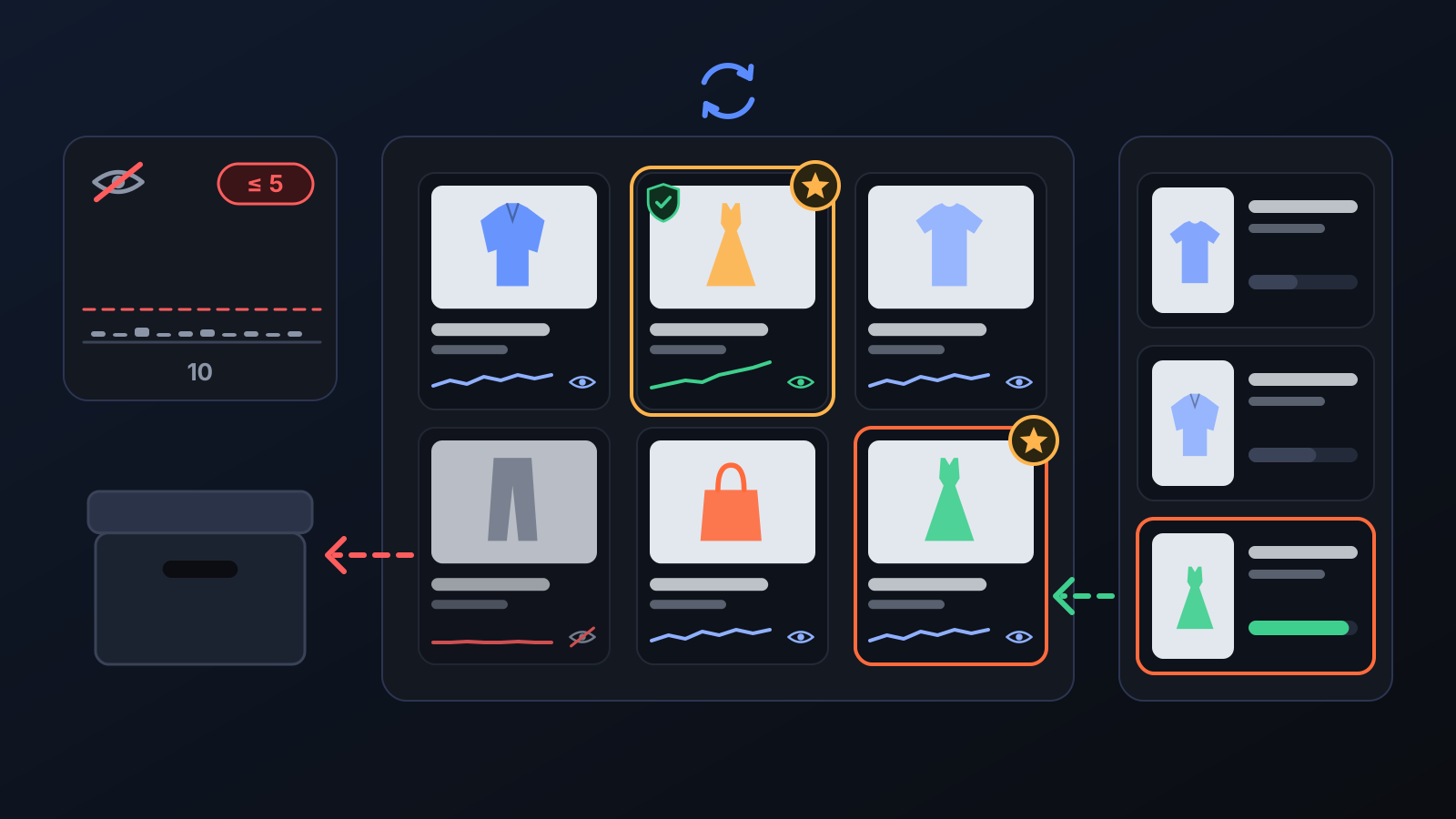
When a new listing goes live, Ozon tests it in search for a while. Some cards are barely shown after that test: they stay in the store but bring no orders, using up your card quota and storefront space. Storefront renewal finds these cards from the data, retires them and opens new products in their place. In stores running with full automation it runs on its own every morning.
How it works
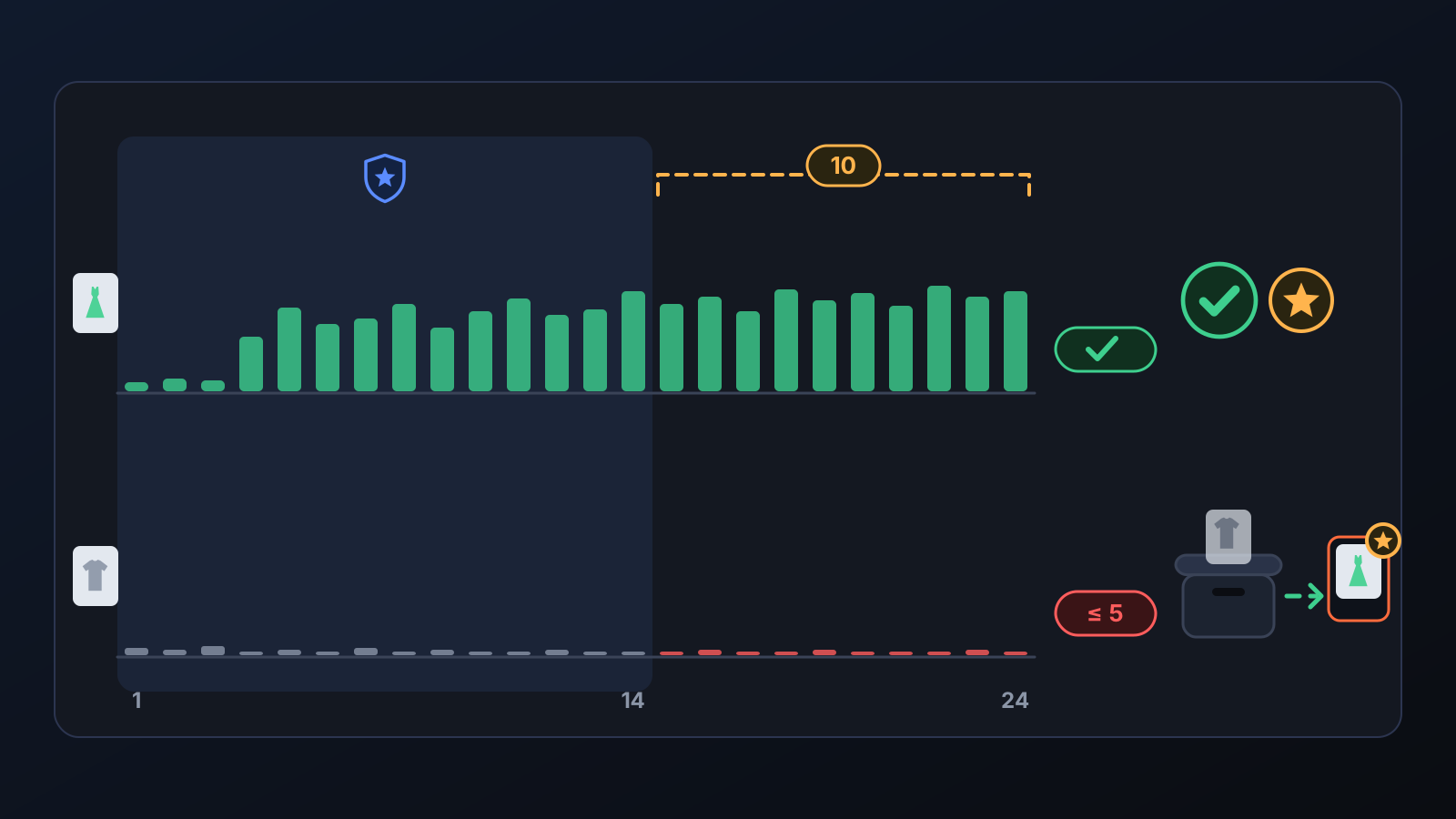
- New products get time: listings younger than 14 days are never cut; they first get their chance in search.
- The whole product is measured: Ozon does not spread impressions evenly across sizes, so the total search impressions of all the product's sizes count, not a single size.
- Completely invisible cards are swapped: a card older than 21 days that was on sale for all of the last 14 days with zero search impressions, has never sold and was not added to a cart in the last 30 days is swapped for a stronger candidate from the queue, if one is waiting (at most 10 a day).
- Barely visible products are retired: if a product was on sale on at least 8 of the last 10 days and got 5 or fewer search impressions in that time (at most 0.5 per day on sale), all its size cards are moved to the archive. Since October 14 this rule runs every morning in all stores with full automation.
- A new product takes the spot: the store is kept at its target number of sellable cards; with Automatic listing on, freed spots are filled with stronger products from the queue within your daily card quota.
- Retired cards do not come back on their own: Commbot does not reopen a retired card, even if the source has stock again.
What it affects
- Cards on Ozon: all size cards of a retired product are archived; nothing is deleted, reviews and history stay.
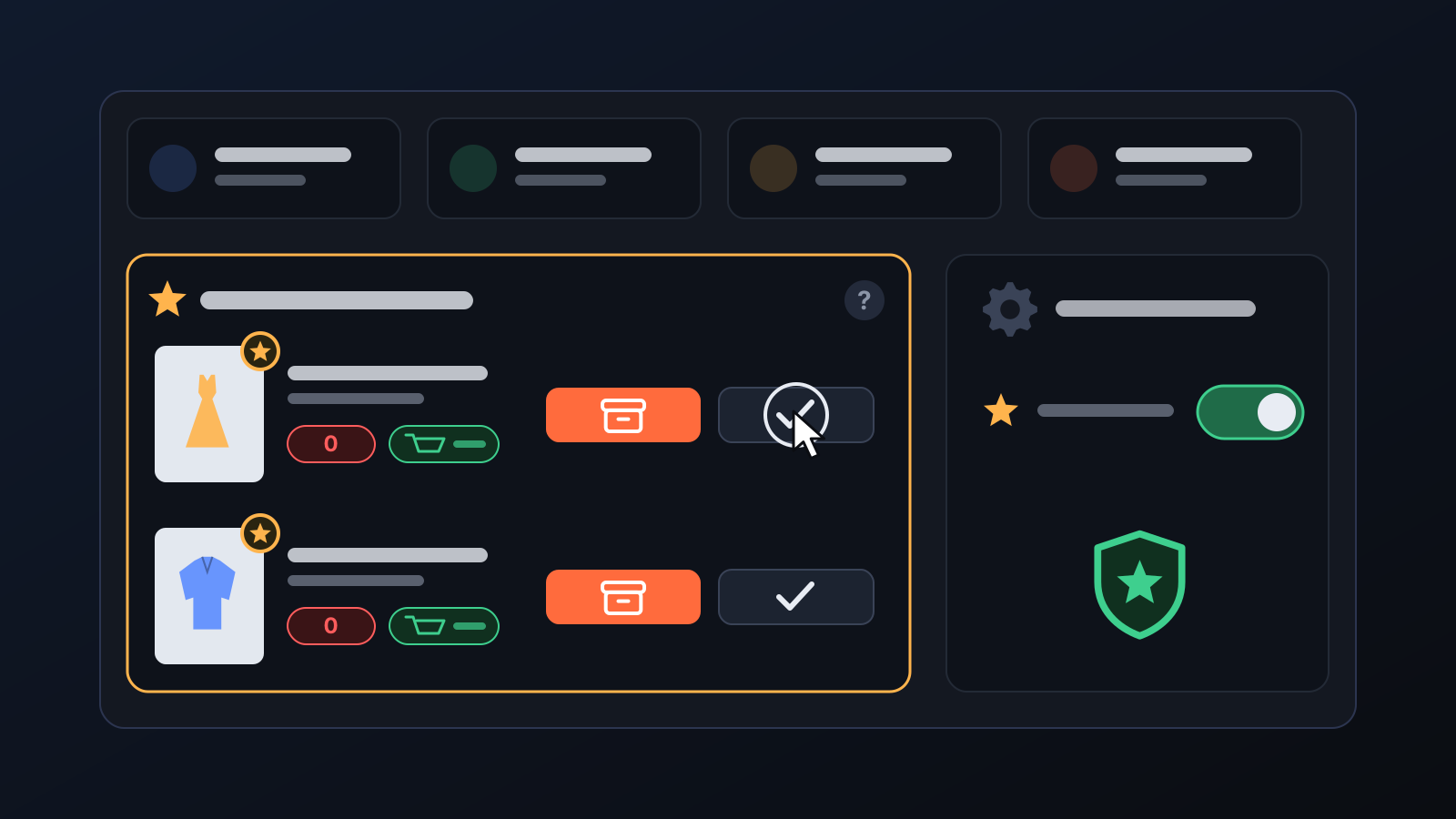
- Winners: if any size of a product has ever been ordered, none of its sizes is cut (since September 30 the whole product is protected); winners are never sacrificed to free up space. Products added to carts or ordered in the last 14 days, products with stock in an Ozon warehouse and cards for which Commbot is testing new hashtags and a new description are protected too.
- New listings: freed spots are filled within your daily card quota. If Storefront guard is on in the Engine page, as many cards as were closed during the day are added to the daily automatic listing cap.
- History: every closure is written to the History page with its reason. If impression data looks faulty (candidates exceed a quarter of the products on sale), no card is closed that morning and a warning appears.
Tips for better results
- In the Safety brake card on the Engine page you can set a Daily deactivation cap; retirements never exceed it.
- Keep Automatic listing on: that is how a retired card's spot gets a new product.
- Do not leave the winner question on the Home page waiting: until you decide, the card stays in place without sales.
- To remove a product yourself, regardless of these rules, use the Remove from store button on the product card.
More from Commbot

One-click sign-in: link your account to Google
You can now link your Google account to the account opened with the username and password we gave you. Link it once, then sign in with the "Sign in with Google" button without typing a password.
2026-10-29
Analytics page: what sells in your store and what doesn't, on one screen
See how your products do by category, brand, price, colour, size and region, in charts. The page turns findings into plain sentences and gives one-click suggestions.
2026-10-29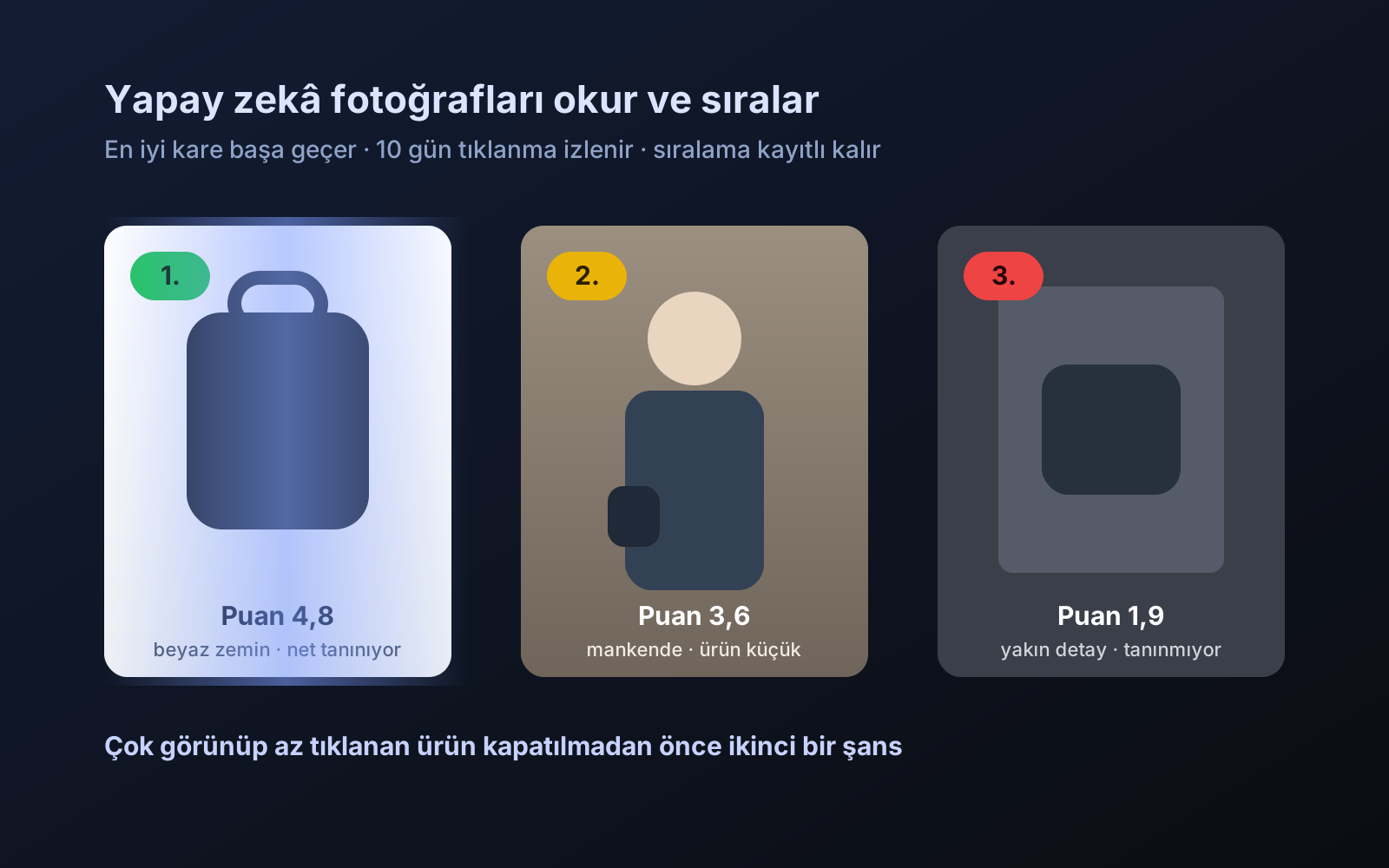
Photo trial before swap
We have improved our system for turning products on and off. It is still in a trial stage, but you can already use it.
2026-10-28